LoraDB v0.13: Rows in, graph out

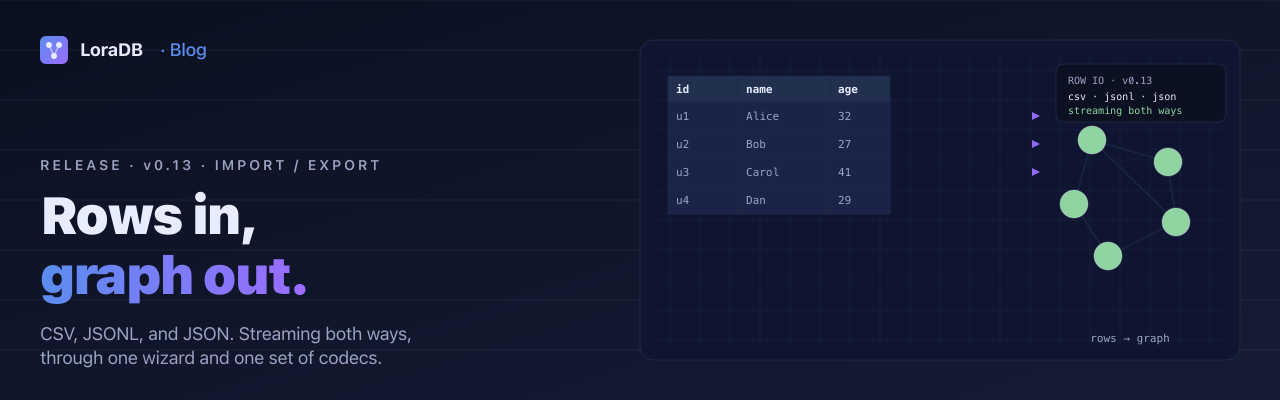
LoraDB v0.13 is an import / export release.
v0.5 made the engine stream. v0.6 made persistence feel like a system. v0.7 was a process release. v0.8 made plans and runtime metrics easier to inspect. v0.9 gave the planner a schema catalog. v0.10 made the function library a library. v0.11 put the engine behind a URL at play.loradb.com. v0.12 turned vectors into real indexes.
v0.13 turns the playground from a write-only sandbox into something
you can put real data into. There is a new crate for row-level
codecs, a bulk import / export driver in lora-database, three
formats sharing one lossless value model, and a wizard that walks
the whole pipeline from "drop a file" to "rows in the graph."
What ships
A new crate for row-level codecs
lora-io is the row-level counterpart to lora-snapshot. Snapshots
ship the entire graph as a binary blob. lora-io ships rows. It
holds the encoders and decoders for JSONL, JSON, and CSV, plus the
RowMapping type that translates a parsed row into a Cypher
CREATE statement. The crate has no dependency on the engine
itself. It deals only with the value model and the wire formats.
Encoders are streaming. Decoders come in two flavours: a pull-based
variant for native callers that already have a BufRead, and a
push-based streaming variant for environments where bytes arrive
chunk by chunk over a worker boundary. The push variant retains at
most one in-progress record plus the bytes between the most-recently
completed record and the end of the most-recently-fed chunk.
A bulk import / export driver
lora-database::io is a thin orchestration on top of lora-io.
Export drives the existing QueryStream through a RowEncoder.
Import drives a RowDecoder through batched
UNWIND $rows AS r CREATE ... statements. Each batch executes as
one parameterised transaction call rather than recompiling a query
per row.
db.import_rows(reader, Format::Csv, &mapping, Some(1_000))?;
The auto-mapping path renders the Cypher template from a
RowMapping. A node mapping with a User Id column becomes
UNWIND $rows AS r CREATE (:User {User Id: r.User Id}), with
backticks added wherever a column or property name isn't a simple
Cypher identifier. The Cypher template is also exposed as a public
escape hatch, so anything Cypher can express is a valid import
shape.
The streaming export variant on the InMemoryGraph backend pulls
rows off the true streaming cursor. Peak engine-side memory stays
bounded by the encoder buffer regardless of result size.
Three formats, one value model
The three formats share a tagged JSON representation for non-scalar
values. A VECTOR exports as {"kind": "vector", "values": [...]},
a POINT as {"kind": "point", "x": ..., "y": ...}, a DATETIME as
{"kind": "datetime", "iso": "..."}. Every LoraValue variant
round-trips losslessly through JSONL and JSON. CSV preserves scalars
natively and reaches for the tagged JSON shape only when a cell
holds a non-scalar.
CSV typed headers carry the same intent as the Neo4j import format:
name:string, age:int, tags:string[], metadata:json. The
schema markers :LABEL, :ID, :START_ID, :END_ID, :TYPE are
recognised by the auto-mapping path so a Neo4j-shaped file imports
without hand-editing the wizard. List cells use a ; separator for
scalar elements and fall back to JSON when any element carries a
character that the decoder would re-split on.
Streaming, both ways
The import path streams chunks from the source file all the way
through the WASM boundary, through the decoder, through the batched
Cypher executor. Peak resident memory is one chunk plus one
in-flight batch (default 1,000 rows). The same shape holds on the
way out: openExportStream returns a ReadableStream<Uint8Array>
that pulls one chunk per read(). The encoded bytes flow
worker → main → disk one chunk at a time, with backpressure honoured
the whole way.
Where the File System Access API is available, the stream pipes directly into a file handle and no Blob ever materialises on the main thread. Other browsers fall through to a Blob download. The fallback still pulls one chunk at a time. The peak resident set is one chunk plus the growing Blob backing, which the browser is free to spill to disk.
Permissive mode for messy data
Real CSV files have bad rows. The decoder has a permissive switch: per-record parse failures collect into a list instead of aborting the import. The summary toast reports how many rows succeeded and how many were skipped. The wizard's review step shows a per-row error table with column attribution and a truncated raw sample, so you can tell at a glance what went wrong.
Toggling permissive mode requires an explicit click in the wizard. The default is strict so a bad row signals as a hard error rather than silently disappearing.
What this needed in the engine
UNWIND $rows AS r CREATE (:Person {User Id: r.User Id}) was
previously rejected by the analyzer when the graph already held any
property keys. The analyzer treated r.User Id as a property
access on a typed variable and looked the key up in the catalog,
finding nothing. v0.13 fixes the analysis: UNWIND-bound variables
now carry a "dynamic property" flag, and property access on them
skips the catalog check. The same fix applies to parameter access,
so $ctx.user_id no longer trips the analyzer either.
Tests in crates/lora-analyzer cover both paths against a graph
with pre-existing property keys, so the regression that motivated
the fix has a permanent home.
The wizard
In the playground, the top bar now carries an Upload icon that opens the import wizard. A dropped CSV, JSONL, or JSON file works too. The wizard walks five steps:
- File. Auto-detected format, sniffed columns, sample rows parsed from the first 256 KiB. The preview correctly handles quoted CSV cells with embedded newlines and strips the UTF-8 BOM that Excel and Google Sheets prepend on save.
- Mapping. Auto-filled from filename, headers, and schema
markers. A
users.csvlands on labelUser; arelationships.csvlands on relationship kind; a column namedidor*_idis offered as the identity. Three modes: Node, Relationship, or a Custom Cypher template that runs once per batch with$rowsbound to the batch. - Review. Dry-run through the parser only, no writes. Reports the rows that would commit, the batches it would split into, and any rows that would fail in strict mode.
- Running. Live throughput, row rate, and ETA. The bytes-fed bar tracks the file. The rows-committed bar tracks the parser's estimate.
- Done. Final stats, per-row error table when permissive mode surfaced any.
All three preview surfaces (Mapping, Review, Running) render the
generated Cypher through the same LoraQueryEditor the workbench
uses, read-only with syntax highlighting. Copy-pasting the preview
into a workbench tab is a copy-paste, not a guess.
Export from every result pane
Every result tab that produced rows now carries a download icon. Pick JSONL, JSON, or CSV; the current tab's query re-runs through the wasm export pipeline, and the bytes ship to disk. Tagged values (VECTOR, POINT, temporal types) survive the round trip through the Rust encoder. A JS-side CSV writer would flatten them; the native codec preserves them as JSON cells.
The toast on success reports rows and bytes. Cancelling the save dialog releases the engine cursor and produces no toast.
Other things landed alongside
- Snapshot loads (auto-restore on boot, manual snapshot picks,
dropped
.lorasnapfiles) draw a blocking overlay while the engine hydrates. Hotkeys like ⌘↵ no longer race the restore. DROP INDEXerrors raised by the engine for indexes that back a constraint now show "DROP CONSTRAINT" advice instead of re-suggesting the failing operation.- The encoder escapes scalar list cells that contain
;,",\n, or\rso the round-trip stops silently splitting them. - The streaming CSV decoder reports per-row column-attributed errors with a truncated raw sample, surfaced verbatim in the wizard's review and done steps.
What is deferred
A few items from the design plan are not in v0.13 and are tracked as follow-ups in the issue tracker:
- Delimiter detection. The codec is comma-only today. European
locale CSVs that use
;need the user to re-save with comma. A sniff in the preview that flags the delimiter is the next step. - An "Excel-friendly" export option that emits a UTF-8 BOM and CRLF line endings. The default stays LF and no BOM.
- An accurate post-export row count. The current toast counts newlines, which over-counts on JSON-array and on CSV cells with embedded newlines.
- Better attribution for Cypher-time failures during import. A template that parses fine but fails at execute time reports as a generic execution error rather than naming the batch's row range.
None of these are blockers for the common path of "drop a CSV, get a graph." They are the next round of robustness work.
Try it
cargo add lora-database
Or open play.loradb.com, drop a CSV onto the page, and follow the wizard. The generated Cypher appears in the preview at every step, so the import never feels like a black box.
The full changelog and binaries are on the v0.13.0 release page.